AX Legal: Rebuilding a 41-Project Asana Environment into a Three-Project Legal Operations Platform
The Challenge
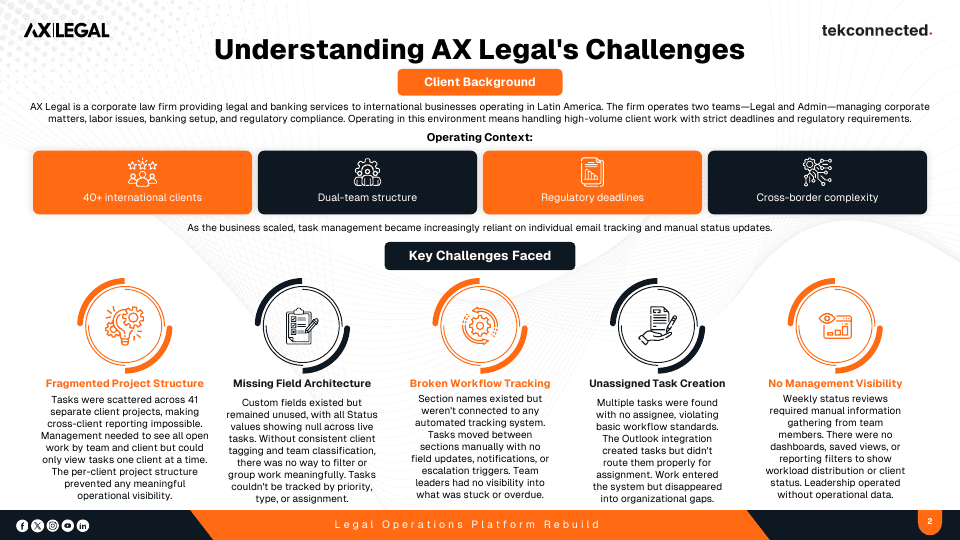
AX Legal's work was scattered across 41 separate client projects in Asana, making cross-client reporting impossible. Management needed to see all open work by team and by client, but could only view tasks one client at a time.
AX Legal is a corporate law firm providing legal and banking services to international businesses operating in Latin America. The firm operates two teams, Legal and Admin, managing corporate matters, labor issues, banking setup, and regulatory compliance. As the business scaled, task management became increasingly reliant on individual email tracking and manual status updates.
Operating Context
- 40+ international clients
- Dual-team structure across Legal and Admin
- Regulatory deadlines
- Cross-border complexity
Key Challenges Faced
- Fragmented Project Structure
- Tasks were scattered across 41 separate client projects, making cross-client reporting impossible. Management needed to see all open work by team and client but could only view tasks one client at a time. The per-client project structure prevented any meaningful operational visibility.
- Missing Field Architecture
- Custom fields existed but remained unused, with all Status values showing null across live tasks. Without consistent client tagging and team classification, there was no way to filter or group work meaningfully. Tasks could not be tracked by priority, type, or assignment.
- Broken Workflow Tracking
- Section names existed but were not connected to any automated tracking system. Tasks moved between sections manually with no field updates, notifications, or escalation triggers. Team leaders had no visibility into what was stuck or overdue.
- Unassigned Task Creation
- Multiple tasks were found with no assignee, violating basic workflow standards. The Outlook integration created tasks but did not route them properly for assignment. Work entered the system but disappeared into organizational gaps.
- No Management Visibility
- Weekly status reviews required manual information gathering from team members. There were no dashboards, saved views, or reporting filters to show workload distribution or client status. Leadership operated without operational data.
The Solution
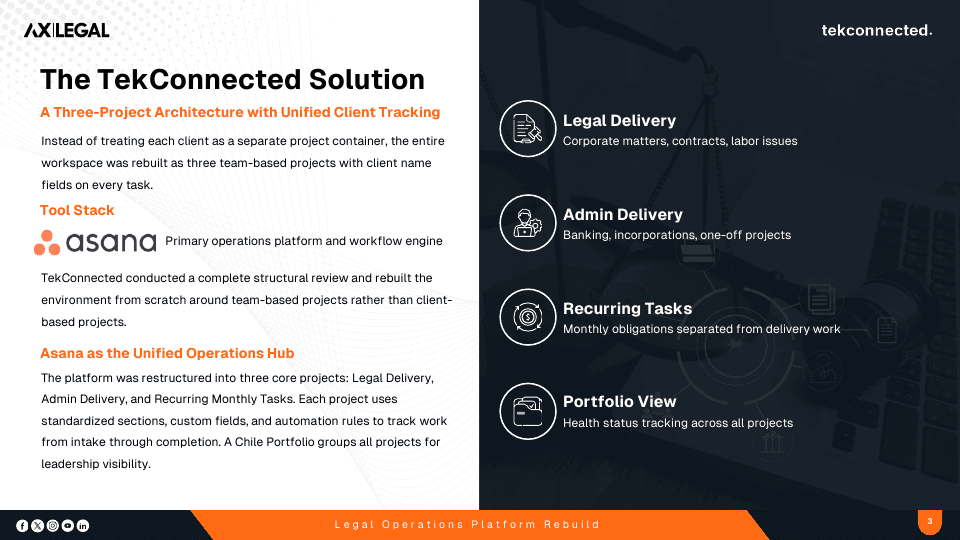
Instead of treating each client as a separate project container, TekConnected rebuilt the entire workspace as three team-based projects with client name fields on every task. Asana serves as the primary operations platform and workflow engine.
Asana as the Unified Operations Hub
- Legal Delivery
- Corporate matters, contracts, and labor issues.
- Admin Delivery
- Banking, incorporations, and one-off projects.
- Recurring Monthly Tasks
- Monthly obligations separated from delivery work.
- Portfolio View
- A Chile Portfolio groups all projects for leadership visibility, with health status tracking across all projects.
Each project uses standardized sections, custom fields, and automation rules to track work from intake through completion. The underlying principle is that legal operations should be system-driven, not email-driven.
Execution Phases
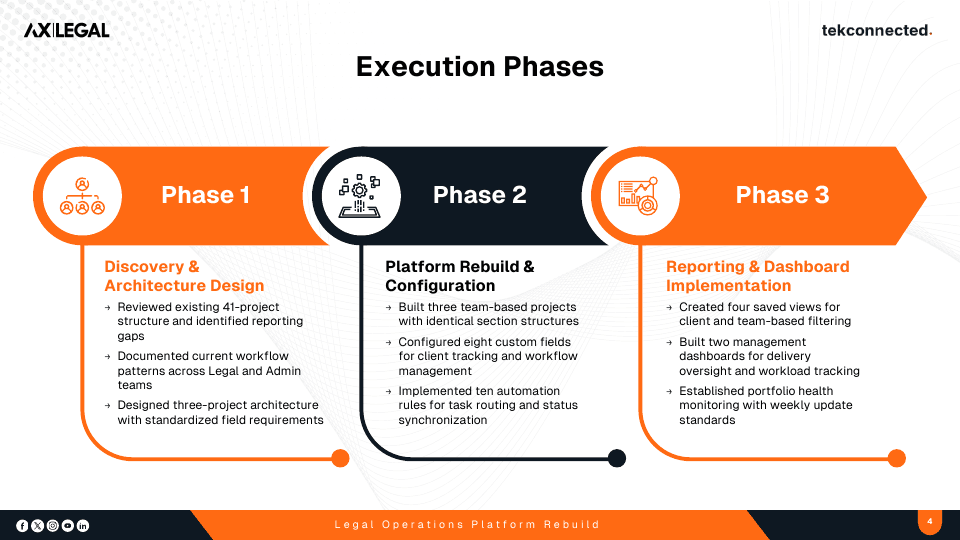
- Phase 1: Discovery and Architecture Design
- Reviewed the existing 41-project structure and identified reporting gaps, documented current workflow patterns across the Legal and Admin teams, and designed the three-project architecture with standardized field requirements.
- Phase 2: Platform Rebuild and Configuration
- Built three team-based projects with identical section structures, configured eight custom fields for client tracking and workflow management, and implemented ten automation rules for task routing and status synchronization.
- Phase 3: Reporting and Dashboard Implementation
- Created four saved views for client and team-based filtering, built two management dashboards for delivery oversight and workload tracking, and established portfolio health monitoring with weekly update standards.
Technology Stack
Results & Outcomes
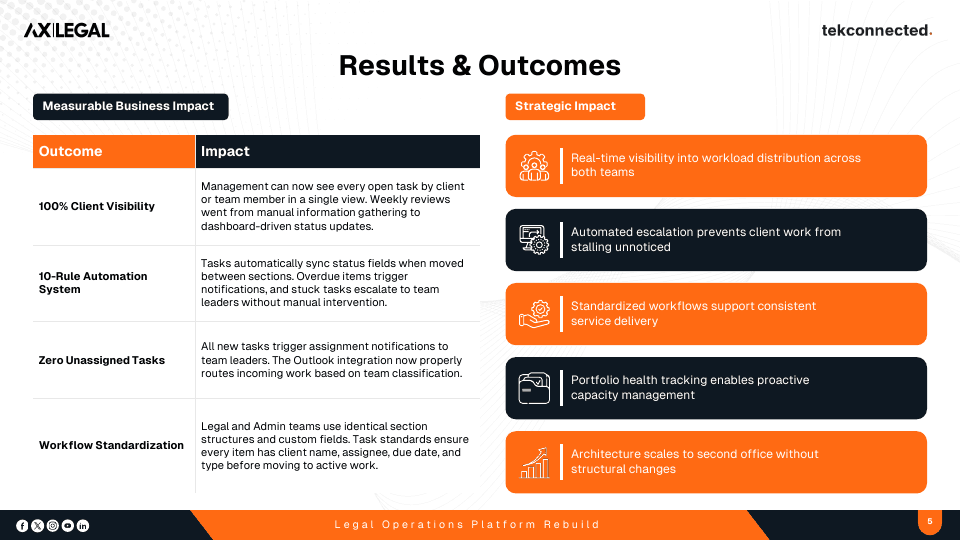
- 100% Client Visibility
- Management can see every open task by client or team member in a single view. Weekly reviews went from manual information gathering to dashboard-driven status updates.
- 10-Rule Automation System
- Tasks automatically sync status fields when moved between sections. Overdue items trigger notifications, and stuck tasks escalate to team leaders without manual intervention.
- Zero Unassigned Tasks
- All new tasks trigger assignment notifications to team leaders. The Outlook integration now properly routes incoming work based on team classification.
- Workflow Standardization
- Legal and Admin teams use identical section structures and custom fields. Task standards ensure every item has client name, assignee, due date, and type before moving to active work.
Strategic Impact
- Real-time visibility into workload distribution across both teams.
- Automated escalation prevents client work from stalling unnoticed.
- Standardized workflows support consistent service delivery.
- Portfolio health tracking enables proactive capacity management.
- Architecture scales to a second office without structural changes.
Who This Applies To
This build pattern fits an organisation that:
- Runs a separate project container per client, making cross-client reporting impossible
- Relies on individual email tracking and manual status updates as the business scales
- Has custom fields and section names that no automation actually reads or acts on
- Gathers weekly status by asking team members instead of reading a dashboard